Domain management is a crucial feature in Petapod that allows you to efficiently organize, configure, and maintain your web domains. Whether you're managing a single website or multiple domains across different projects, Petapod's domain management system provides the tools you need to streamline your workflow and maintain optimal performance.
To access Petapod's domain management interface:
Log into your Petapod app instance
Navigate to the "Settings" section in the main menu
Click on "Domain Management" to view your domain overview
You need click “Activate this feature” to able use multi domain management
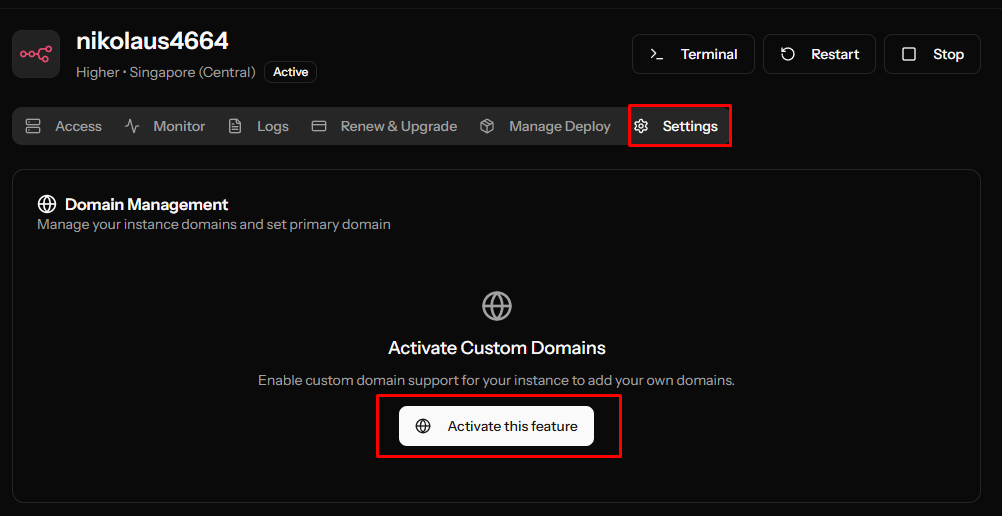
The domain dashboard provides a comprehensive view of all your registered domains, including:
Default domain (this given automatically by system
Primary domain (you can the domain to be choosen one primary)
DNS Configuration (We use CNAME as record)
First of all you need click “Add Domain” then the popup modal will shown a domain name form like bellow
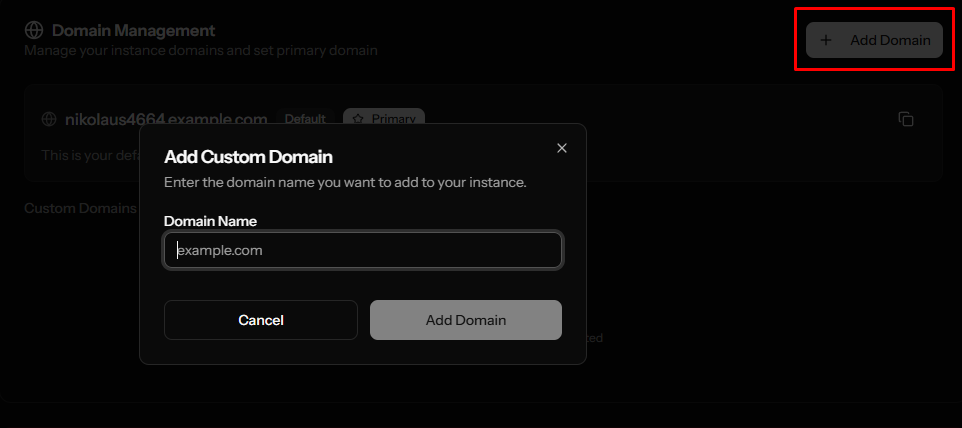
Fill the input form from desired Domain name you
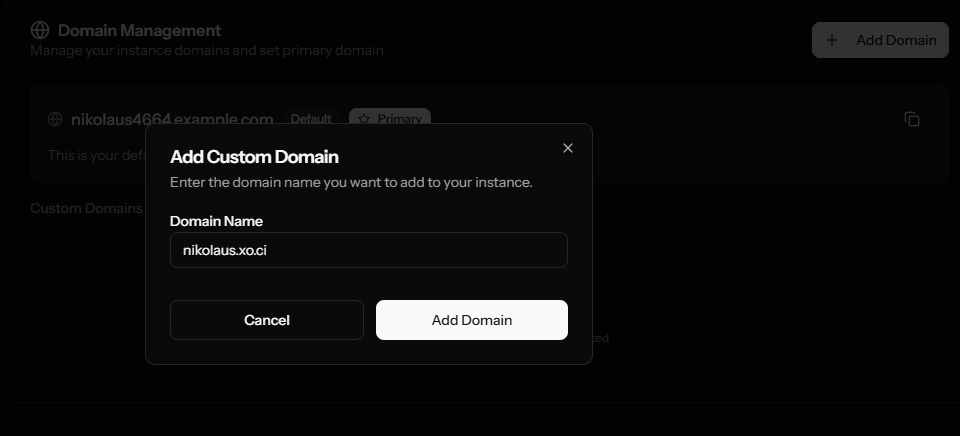
After click “Add Domain” you gonna receive a confirmation domain success added
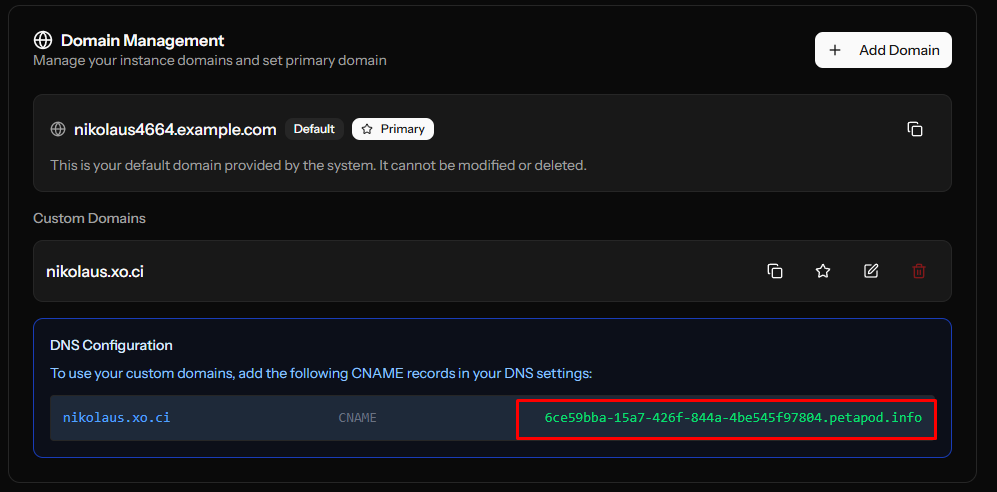
To configure your domain to work with Petapod:
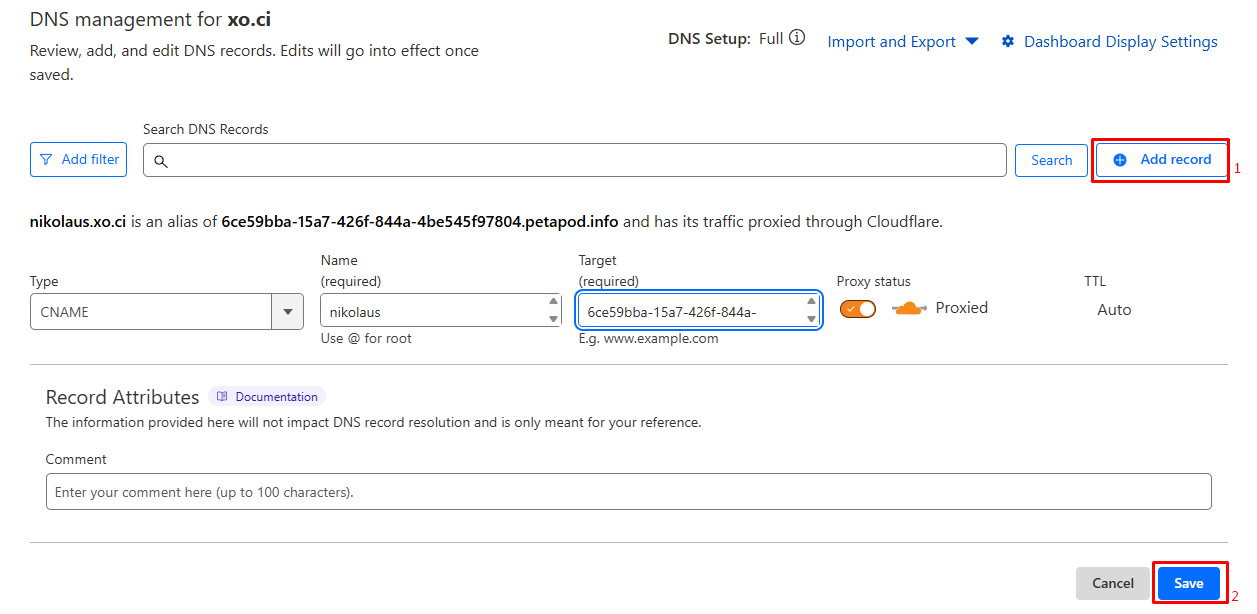
Go to your Cloudflare dashboard (if you use it as your default DNS manager)
Follow step 1: Click "Add Record"
Fill in the CNAME record with the provided value (e.g., "6ce59bba-15a7-426f-844a-4be545f97804.petapod.info")
Follow step 2: Click "Save" to apply the changes
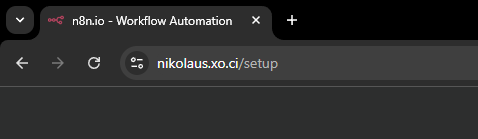
Once the DNS configuration is complete, you can access your Petapod instance using your own custom domain.
Now you can access it using your own custom domain
Default Domain
Automatically provided by the system when you create your Petapod instance
Cannot be deleted or modified
Serves as a fallback option
Primary Domain
You can designate one of your custom domains as the primary domain
This becomes the main domain for your Petapod instance
Can be changed at any time through the domain management interface
Additional Domains
You can add multiple domains to point to the same Petapod instance
All domains will serve the same content
Useful for brand variations or legacy domain redirects
To set a domain as your primary domain:
Navigate to the Domain Management section
Locate the domain you want to set as primary
Click on the domain settings
Select "Set as Primary Domain"
Confirm your selection
Petapod uses CNAME records for domain configuration:
Record Type: CNAME
Name: Your domain or subdomain (e.g., www or @)
Value: The provided Petapod subdomain (e.g., "your-instance-id.petapod.info")
TTL: Auto or 300 seconds (recommended)
The domain dashboard shows the status of each domain:
Active: Domain is properly configured and working
Pending: Domain is added but DNS configuration is incomplete
Error: There's an issue with the domain configuration
If your domain isn't working after DNS configuration:
Wait 24-48 hours for DNS propagation
Verify the CNAME record is correctly entered
Check that the domain is not already pointing to another service
Ensure there are no conflicting A records
Petapod automatically handles SSL certificates for custom domains:
SSL certificates are generated automatically after DNS propagation
This process may take a few hours to complete
If SSL issues persist after 24 hours, contact support
DNS changes can take time to propagate globally:
Changes typically take 15 minutes to 48 hours
Use online DNS checker tools to monitor propagation status
Clear your browser cache if you're still seeing the old configuration
Keep your domain registrar contact information updated
Enable domain auto-renewal to prevent accidental expiration
Use descriptive names for subdomains to maintain organization
Regularly review your domain list and remove unused domains
Enable domain lock at your registrar to prevent unauthorized transfers
Use strong passwords for your domain registrar account
Consider enabling two-factor authentication where available
Monitor your domains for any unauthorized changes
Effective domain management is essential for maintaining a successful online presence. Petapod's comprehensive domain management tools provide everything you need to configure and monitor your domains efficiently. By following the guidelines and best practices outlined in this article, you'll be well-equipped to manage your domains professionally and securely.
Remember to regularly review your domain settings, ensure proper DNS configuration, and stay informed about best practices in domain management. With Petapod's powerful tools at your disposal, managing domains becomes a streamlined and worry-free process.